emobility.academy
β˜… 4.8 rated by 1,500+ verified learners Β· curriculum reviewed by IIT Faculty Β· Continue learning
πŸ›οΈ IIT-Faculty Reviewedβœ… ASDC Β· AICTE NEAT Β· NSDC🌍 Available worldwide
β˜…β˜…β˜…β˜…β˜…4.8 / 5 β€” 1,500+ verified reviews

Autodesk Alias Certification Program

(no description)

68 video lessons
11 modules
beginner
English
Recognised & Certified by
IIT Jammu I3C
ASDC
AICTE NEAT
Ministry of Education

Course Curriculum

69 lessons across 11 modules

(no description)

1
Module 1

Welcome to the course!

1 lesson
  1. 1

    Sign up at eMobility.careers to get exclusive EV job Opportunities!

    text

2
Module 2

Module 1: Getting Started with Alias

5 lessons
  1. 1

    Topic 1: Alias Fundamentals - Modeling Principle & Reverse Engineering

    video

  2. 2

    Topic 2: CAID, CAM, CAE, and CAD - An Overview

    video

  3. 3

    Topic 3: Software Distribution Across the PLM Cycle

    video

  4. 4

    Topic 4: Why Use Autodesk Alias?

    video

  5. 5

    Topic 5: Design Practices Before Alias

    video

3
Module 3

Module 2: Navigating the Alias Interface

9 lessons
  1. 1

    Topic 1: Alias Interface Tour and Model Visualization

    video

  2. 2

    Topic 2: Exploring the Menu Bar in Alias

    video

  3. 3

    Topic 3: Exploring the Palette Shelf in Alias (Part 1) - Pick Tools

    video

  4. 4

    Topic 4: Exploring the Palette Shelf in Alias (Part 2) – Transform Tools & Paint

    video

  5. 5

    Topic 5: Shortcut Keys and Mouse Controls in Alias - Part 1

    video

  6. 6

    Topic 6: Shortcut Keys and Mouse Controls in Alias - Part 2

    video

  7. 7

    Topic 7: Setting Up Canvas Images in Alias

    video

  8. 8

    Topic 8: Pivot Points and Grouping & Ungrouping of Objects

    video

  9. 9

    Topic 9: Working with Layers in Alias

    video

4
Module 4

Module 3: Curve Modeling and Editing in Alias

5 lessons
  1. 1

    Topic 1: Introduction to Curves in Alias

    video

  2. 2

    Topic 2: Key Curve Terminology in Alias

    video

  3. 3

    Topic 3: Working with Key Point Curve Tools & Curvature in Alias

    video

  4. 4

    Topic 4: Editing Curves Using Curve Edit Tools in Alias - Part 1

    video

  5. 5

    Topic 5: Editing Curves Using Curve Edit Tools in Alias – Part 2

    video

5
Module 5

Module 4: Surface Modeling and Editing in Alias

12 lessons
  1. 1

    Topic 1: Surface Terminology and Continuity in Alias

    video

  2. 2

    Topic 2: Alias Surface Commands (Part 1) – Primitive & Core Tools

    video

  3. 3

    Topic 3: Alias Surface Commands (Part 2) – Rail, Extrude, Square & Blending Tools

    video

  4. 4

    Topic 4: Alias Surface Commands (Part 3) – Fillet, Blends, Flange & Control Tools

    video

  5. 5

    Topic 5: Alias Surface Commands (Part 4) – Surface Refinement & Joining Tools

    video

  6. 6

    Topic 6: Surface Curve Network Command

    video

  7. 7

    Topic 7: Sketch to Surface in Alias – Analyzing 2D Sketch for 3D Modeling

    video

  8. 8

    Topic 8: Surface Analysis in Alias – Evaluating 3D Model

    video

  9. 9

    Topic 9: Understanding Primary, Secondary, and Tertiary Surfaces in Alias

    video

  10. 10

    Topic 10: Surface Editing in Alias (Part 1) – Using Project, Trim, Stitch & Adv. Tools

    video

  11. 11

    Topic 11: Surface Editing in Alias (Part 2) – Using Shell, Rebuild, & Other Tools

    video

  12. 12

    Topic 12: Surface Editing in Alias (Part 3) – Using Planarize Hull & Orientation Tools

    video

6
Module 6

Module 5: Object Editing Techniques & Construction Tools in Alias

5 lessons
  1. 1

    Topic 1: Object Editing in Alias (Part 1) – Using Attach, Insert, Extend & Symm Tools

    video

  2. 2

    Topic 2: Object Editing in Alias (Part 2) – Using Editor, Close, Query & Smooth Tools

    video

  3. 3

    Topic 3: Object Editing in Alias (Part 3) – Using Align, Lattice, Transform & Other Tools

    video

  4. 4

    Topic 4: Construction Tools in Alias – Points, Vectors, Planes & More

    video

  5. 5

    Topic 5: Locator Tools in Alias – Angle, Annotation, Measurement & More

    video

7
Module 7

Module 6: Control Panel & Diagnostic Shader in Alias

2 lessons
  1. 1

    Topic 1: Working with the Control Panel in Alias

    video

  2. 2

    Topic 2: Using the Diagnostic Shader in Alias

    video

8
Module 8

Module 7: Product Design in Alias – From Concept to Model

3 lessons
  1. 1

    Topic 1: Introduction to Product Design in Alias

    video

  2. 2

    Topic 2: Product Design Example in Alias

    video

  3. 3

    Topic 3: Developing a Product in Alias

    video

9
Module 9

Module 8: Conceptual Design in Alias - From Concept to Visualization

5 lessons
  1. 1

    Topic 1: Conceptual Design 1 – Creating Base Layout & Body Volume with CV Curves

    video

  2. 2

    Topic 2: Conceptual Design 2 – Rear Patch Development & Curvature Definition

    video

  3. 3

    Topic 3: Conceptual Design 3 – Curve & Surface Alignment for Shape Integrity

    video

  4. 4

    Topic 4: Conceptual Design 4 – Surface Filleting & Symmetry Alignment

    video

  5. 5

    Topic 5: Conceptual Design 5 – Surface Trimming, Blending & Diagnostic Visualization

    video

10
Module 10

Module 9: Complete Automotive Modeling with Autodesk Alias – Mini Cooper Case Study

20 lessons
  1. 1

    Topic 1: Automotive Design Part 1 – Intro to Automotive Design (Mini Cooper & Bonnet Modeling)

    video

  2. 2

    Topic 2: Automotive Design Part 2 – Side Profile & Roof Construction

    video

  3. 3

    Topic 3: Automotive Design Part 3 – Roof Alignment Techniques

    video

  4. 4

    Topic 4: Automotive Design Part 4 – Front Windshield Design

    video

  5. 5

    Topic 5: Automotive Design Part 5 – Wheel Arch Design & Integration

    video

  6. 6

    Topic 6: Automotive Design Part 6 – Lower Front Fascia Modeling

    video

  7. 7

    Topic 7: Automotive Design Part 7 – Rear Upper Body Design

    video

  8. 8

    Topic 8: Automotive Design Part 8 – Windshield Frame & A-Pillar Area Design

    video

  9. 9

    Topic 9: Automotive Design Part 9 – Surface Trimming & Cleanup

    video

  10. 10

    Topic 10: Automotive Design Part 10 – Patch Alignment & Curve Construction

    video

  11. 11

    Topic 11: Automotive Design Part 11 – Object Refinement & Functional Blending

    video

  12. 12

    Topic 12: Automotive Design Part 12 – Advanced Feature Definition

    video

  13. 13

    Topic 13: Automotive Design Part 13 – Connected Ends, Rear Curvature & Surface Refinement

    video

  14. 14

    Topic 14: Automotive Design Part 14 – Rear Surface Blending & High-Fidelity Detailing

    video

  15. 15

    Topic 15: Automotive Design Part 15 – Surface Transitioning & Plane Refinement

    video

  16. 16

    Topic 16: Automotive Design Part 16 – Area Alignment and Surface Modification

    video

  17. 17

    Topic 17: Automotive Design Part 17 – Curve Refinement and Detailing

    video

  18. 18

    Topic 18: Automotive Design Part 18 – Advanced Curve Shaping

    video

  19. 19

    Topic 19: Automotive Design Part 19 – Filleting Specific Surface Areas

    video

  20. 20

    Topic 20: Automotive Design Part 20 – Final Model Inspection and Completion

    video

11
Module 11

Module 10: Automotive Rendering Techniques with Alias & KeyShot

2 lessons
  1. 1

    Topic 1: Automotive Rendering with Alias

    video

  2. 2

    Topic 2: Automotive Rendering with KeyShot

    video

Earn a certificate

Add this credential to your resume β€” and watch employers ask about it

Every completing learner receives a joint certificate signed by three accrediting bodies β€” ASDC (Government of India), AICTE NEAT, and IIT Jammu I3C. The certificate carries a public verification code recruiters can validate in seconds via emobility.careers.
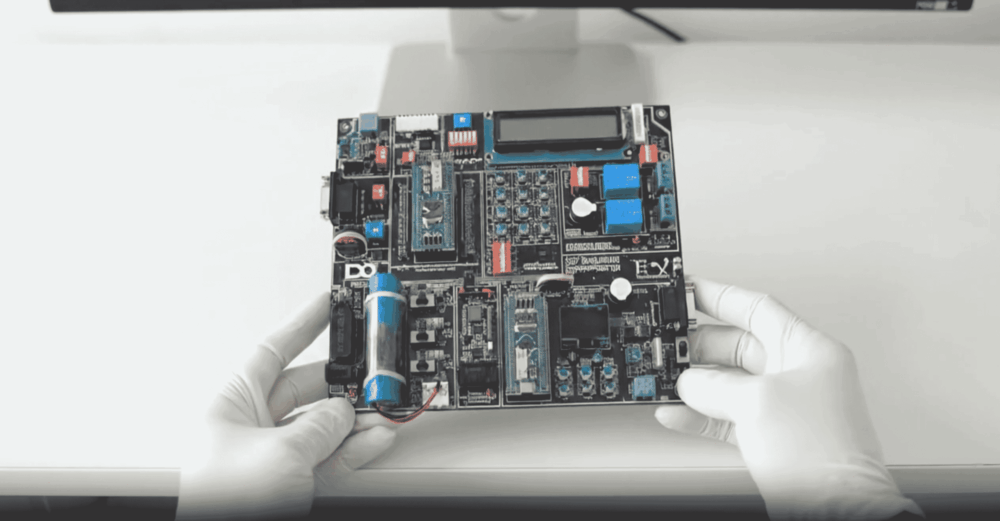
  • Government-recognised by Ministry of Education + NSDC
  • Validated globally by automotive OEMs and Tier-1 suppliers
  • Public verification URL β€” every recruiter can check authenticity
  • Issued within 14 days of capstone-project approval
Sample emobility.academy certificate

System Requirements

Hardware & software you'll need

Lightweight on hardware β€” most modern laptops handle it. Software is free / academic-licensed.

Hardware

  • 8 GB+ RAM (16 GB recommended for MATLAB Simulink)
  • Quad-core processor (Intel i5 / AMD Ryzen 5 or newer)
  • 8 GB+ free disk space for project files and simulation outputs
  • Stable internet connection (5 Mbps+) for live sessions and Bunny video streaming

Software

  • MATLAB R2018a or later (free academic licence works)
  • Simulink + Simscape (included in the academic MATLAB bundle)
  • Arduino IDE or STM32CubeIDE for embedded sessions
  • Optional: SolidWorks / Fusion 360 for 3D module visualisation

Associated Skills

What you'll be able to put on your rΓ©sumΓ©

Battery ModelingBMS DesignCell ChemistryMATLAB SimulinkEmbedded CCAN ProtocolPowertrain IntegrationThermal ManagementEV Safety (HV)Drive Cycle AnalysisState-of-Charge EstimationVehicle Dynamics

DIY Projects Included

Hardware-grounded projects in your portfolio

Every project is defended in front of an industry panel and graded by our mentors. Your portfolio after this course is what gets you the interview.

πŸ”‹
Project 01

Design a Complete Battery Management System

End-to-end BMS design β€” cell-monitoring IC selection, balancing strategy, SoC/SoH algorithm, fault diagnostics. Defended in a panel review on the cohort's final week.

βš™οΈ
Project 02

Simulate a Full EV Powertrain in MATLAB Simulink

Model a 2-wheeler / 4-wheeler powertrain from motor to wheels, run it through MIDC + WLTP drive cycles, and predict range against the spec sheet.

πŸ”Œ
Project 03

Build a Working EVSE Prototype

Assemble a Level-1 / Level-2 EVSE on a benchtop kit β€” CP/PP signalling, contactor + relay logic, Type-2 connector wiring, safety lockouts.

Course Benefits

What you'll get out of it

Two audiences. Two angles. Pick the one that maps to where you are today.

For Working Professionals

  • Production-Grade Vocabulary
    Walk into BMS / powertrain / charging interviews speaking the same language as Bosch, Tata, Mercedes-Benz and Ola engineering leads.
  • Tool Proficiency Recruiters Test For
    MATLAB Simulink, Ansys, Altair, STM32CubeIDE β€” the exact tools enterprise engineering interviews probe.
  • Industry-Aligned Capstone
    Defend a real EV-system project in front of an industry panel. The deliverable doubles as your portfolio.
  • Direct OEM Network
    1:1 intros into our 300+ hiring-partner network across India, Europe and North America via emobility.careers.
  • Cross-Functional Reach
    Equally relevant to mechanical, electrical, embedded, software and product professionals β€” the EV stack is genuinely cross-domain.

For Students & Freshers

  • Foundational Depth
    From cell chemistry to vehicle dynamics β€” the same fundamentals taught in IIT EV labs, delivered remotely.
  • Hands-On Hardware Kit
    Ships worldwide. Real motors, BMS boards, controllers. You touch the hardware your rΓ©sumΓ© references.
  • Industry-Recognised Credentials
    ASDC + AICTE NEAT + IIT Jammu I3C joint certificates open doors automatic for freshers and B.Tech candidates.
  • Live IIT-Faculty Sessions
    Weekend sessions with IIT professors and industry trainers β€” academic rigour you can't get from pre-recorded courses.
  • Capstone Portfolio Piece
    A defendable project at graduation β€” exactly what placement cells and recruiters look for first.

What this course includes

Everything you get when you enrol

  • 10 Modules.
  • 68 Lectures.
  • 19.95 hours of video content.
  • Certification of Completion.

Who can take this course?

If any of these sound like you β€” you'll thrive here

  • B.E. / B.Tech students in any branch (Mechanical, Electrical, ECE, CSE, Automobile)
  • Diploma + ITI holders looking to upskill into EV roles
  • Working professionals from ICE auto / power-electronics / semiconductor
  • MBA / business professionals entering EV product, sales, or strategy
  • International learners β€” programme is English-only and timezone-friendly (recordings + live)
  • Entrepreneurs building EV products and looking for technical co-founder-grade depth

Personalised Trainer Support

One mentor. One cohort. Your career, supported end-to-end.

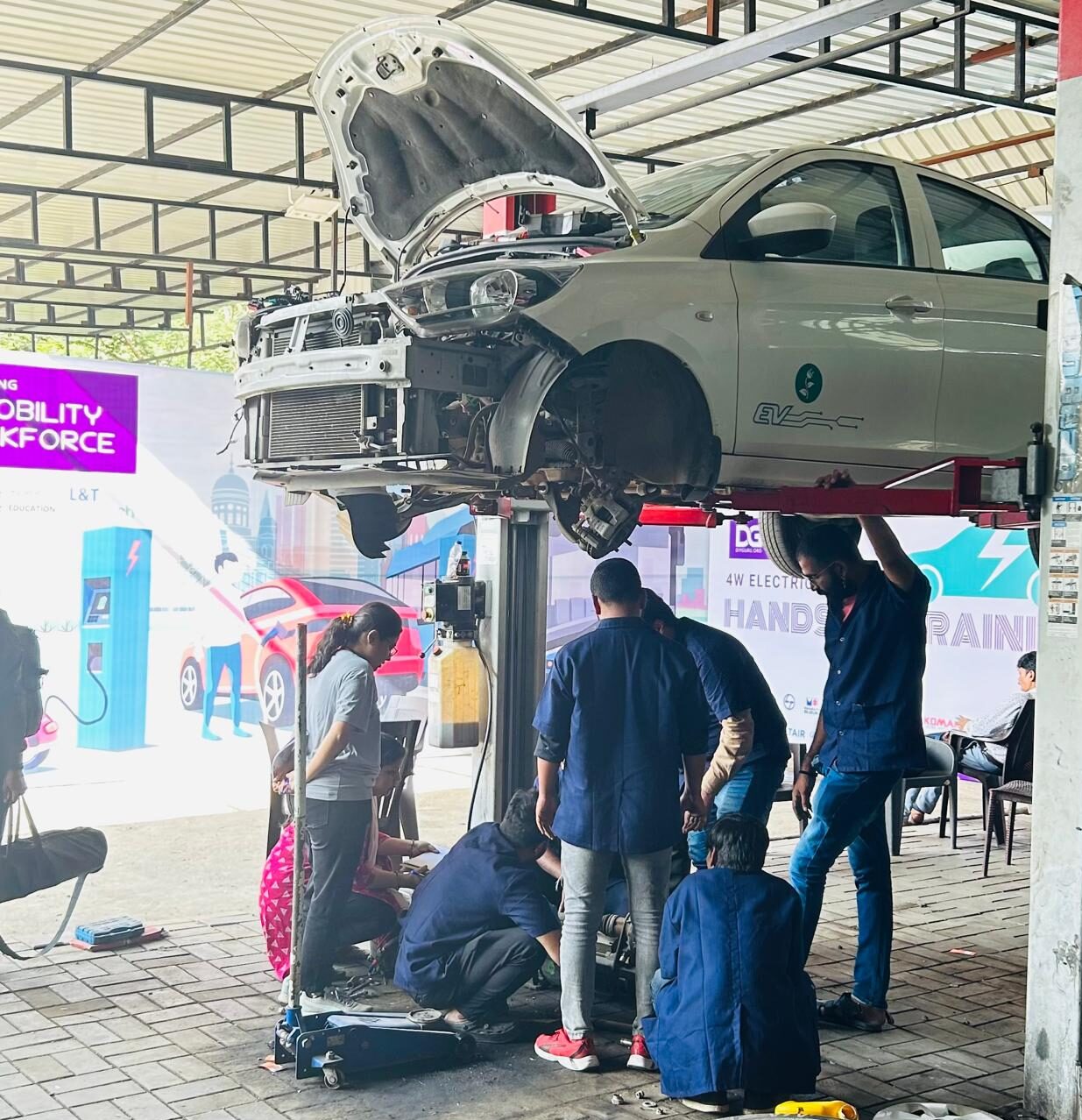
DIYguru trainer working with learners

Every cohort is paired with a dedicated mentor β€” typically an IIT-trained EV practitioner with 6+ years of industry experience. Weekly 1:1 sessions, async doubt-clearing turnaround within 24 hours, project reviews before submission, and mock interviews tuned to the role you're targeting.

  • Weekly 1:1 mentor calls (30 min, recorded for replay)
  • Async doubt clearing on the cohort forum β€” <24 hr SLA
  • Pre-submission project reviews + capstone defence prep
  • Mock interviews tuned to your target role + employer
  • Direct mentor intros to alumni at your target company

FAQ

Frequently asked questions

Who is this course for?
Engineering students (B.E./B.Tech, any branch), Diploma + ITI holders, working professionals from ICE auto / power electronics / semiconductor, MBA / business professionals entering EV, international learners, and entrepreneurs. No prior EV experience required.
Will I get hands-on hardware experience?
Yes. A DIY hardware kit ships to your address worldwide β€” real motors, BMS boards, controllers, and diagnostic tools. Optional physical lab sessions at our Delhi and Bengaluru campuses for India-based learners.
What certification will I receive?
On completion you receive a joint certificate carrying ASDC (Govt of India), AICTE NEAT, and IIT Jammu I3C recognition. The same credential is accepted by automotive OEMs and Tier-1 suppliers globally.
How is the course delivered?
Live online classes (weekend) + lifetime-access recordings + DIY hardware kit + 1:1 mentor sessions weekly + capstone project with industry-panel defence. English-only delivery; timezone-friendly via async replay.
What career outcomes can I expect?
Average package across alumni cohorts is approximately β‚Ή8.4 LPA in India and $55K–$95K in international markets. Top placements go up to β‚Ή18 LPA / $130K for BMS firmware and propulsion-controls roles.
How does placement support work?
Dedicated placement via emobility.careers β€” an EV-only job network with 300+ hiring partners across India, Europe, North America and the Middle East. Includes resume reviews, mock interviews, and 1:1 mentor introductions to specific employers.
What if I get stuck?
Weekly 1:1 mentor slots, active community forum with instructors, and async doubt-clearing turnaround within 24 hours. The personalised trainer support portal is included with every cohort β€” not an upsell.

Technical Expertise You Will Gain

By the end of this course, you'll design + defend a complete EV system

Hardware competence is the differentiator. Each module pairs theory with a tooling-grounded exercise so your skill claims are demonstrably true at interview time.

Key Job Roles

  • β†’Battery Engineer
  • β†’BMS Firmware Developer
  • β†’Powertrain Engineer
  • β†’EV Design Engineer
  • β†’Charging Infrastructure Specialist
  • β†’Test / Validation Engineer

Skill Sets

  • β†’Battery pack architecture + thermal management
  • β†’BMS algorithms (SoC, SoH, cell balancing)
  • β†’Power electronics + motor-drive control
  • β†’MATLAB Simulink + Simscape simulation
  • β†’Embedded firmware development on STM32 / Arduino
  • β†’EV safety + HV diagnostics

Competitive Hiring Across

  • β†’Bosch Β· Tata Β· Mahindra Β· Ola Β· Ather (India)
  • β†’Mercedes-Benz Β· Daimler Β· BMW (Germany)
  • β†’GM Β· Tesla suppliers Β· Cummins (US)
  • β†’Hydro One Β· Magna (Canada)
  • β†’Infineon Β· STMicroelectronics (Europe)
  • β†’John Deere Β· L&T Β· Maruti Suzuki

Placement Network

Our 50,000+ alumni work at

Engineers from this course currently build at OEMs across India, Europe, North America and the Middle East.


Hiring partner
Hiring partner
Hiring partner
Hiring partner
Hiring partner
Hiring partner
Hiring partner
Hiring partner
Hiring partner
Hiring partner
Hiring partner
Hiring partner
Hiring partner
Hiring partner
Hiring partner
Placement powered by
eMobility.careers

The world's only EV-specific job network. 300+ hiring partners across India, Europe, North America and the Middle East.

Government-Certified Β· Industry-Endorsed Β· Learner-Approved

Globally recognised credentials

ASDC (Govt of India)

ASDC (Govt of India)

Automotive Skills Development Council β€” recognised by major OEMs worldwide.

AICTE NEAT

AICTE NEAT

National Educational Alliance for Technology β€” issued under AICTE's premium learning ecosystem.

Ministry of Education

Ministry of Education

Recognised by India's Ministry of Education + NSDC skilling framework β€” accepted globally.

Alumni Stories

What our 50,000+ alumni say

Engineers from Mercedes-Benz, Cummins, Infineon, GM, Hydro One, John Deere and more.

The hardware-first approach made all the difference. Came in from a generalist electronics background; the BMS and motor-drive modules gave me concrete vocabulary I could carry into Infineon interviews.

Souvik Hazra
Souvik Hazra
Senior Manager Β· Infineon Technologies

Industry-grade depth without the academic ivory tower. The MATLAB Simulink + capstone defence prepared me for exactly the kind of cross-functional EV problems we solve at Cummins.

Sharad Yeola
Sharad Yeola
Application Controls Lead Β· Cummins Inc.

Started with electronics, walked into a BMS role in Germany. The applied projects + mentor reviews are what carried me through β€” the certifications opened the door, the depth got me hired.

Jagatjit Barik
Jagatjit Barik
Sr. R&D Engineer (BMS xEV) Β· Mercedes-Benz

Ready to launch your EV career?

Lifetime access Β· government-recognised certificate Β· DIY kit shipped worldwide Β· weekly 1:1 mentor sessions Β· 300+ hiring partners.

Accreditations

Programs Recognised by Govt. Bodies & Industries

ASDC
AICTE NEAT
Ministry of Education
SIMOPS Saudi
DSD Malaysia
UK Government
UACH
Tata Technologies
ADYPU
UDYOGA Karnataka
Ola Mobility Institute